
Customer-specific pricing for B2B customersEach customer sees the right catalogue, the right price and the right terms
Between businesses, the displayed price is almost never the price paid. Until your website can show each customer their own price, your customers will keep asking their sales rep.
To manage different prices per customer in B2B e-commerce (online selling between businesses), the sales tool needs to know the customer before showing them a price: which network they belong to, which discounts they have negotiated, which catalogue they are allowed to see. The logged-in customer then sees only their own terms, and the order goes through at the right price without manual checks.
Negotiated prices, discounts, networksThe situation: one list price and a hundred exceptions
In most companies that sell to trade customers, the official price list is only a starting point. Over the years, it accumulates:
- discounts negotiated customer by customer;
- terms by network: resellers, distributors, key accounts, subsidiaries;
- different prices by country, brand or channel;
- products reserved for some customers, or barred for others;
- prices excluding VAT for trade customers and including VAT for consumers.
These rules often live in the ERP, in a spreadsheet, or in the sales reps’ heads. The e-commerce site, meanwhile, shows a single price.
A wrong price blocks online orderingWhy it holds back online ordering
A trade customer who sees a price that isn’t theirs has two possible reactions: they have doubts (“will my discount be applied?”) or they give up and call their sales rep. Either way, online sales lose ground. Worse still: if the displayed price is lower than their usual terms, trust in the whole system takes a hit.
The right price is not a display detail. It is the condition for the customer to order on their own.
What standard e-commerce platforms can doWhat standard tools can do
Off-the-shelf e-commerce solutions handle promotions and discount codes well, and often customer groups with a general discount. For a simple pricing policy, that is enough.
Price lists and online storesWhere the limits appear
The difficulties start when the price depends on several dimensions at once (the customer, their network, the product, the site they order through), when the catalogue itself varies from one customer to another, or when terms must stay consistent with the ERP that issues the invoices. You end up multiplying groups, exceptions and manual synchronisations, and the risk of error grows with the number of customers.
Managing different prices per customerHow it should work
- The customer is identified
- Their terms are known
- They see their catalogue and prices
- They order at the right price
- The order reaches the ERP correctly
The sales rep no longer has to confirm every price. They step in where they add real value: a negotiation, a special project, advice.
Prices excl. VAT for trade, incl. VAT for consumersA practical example
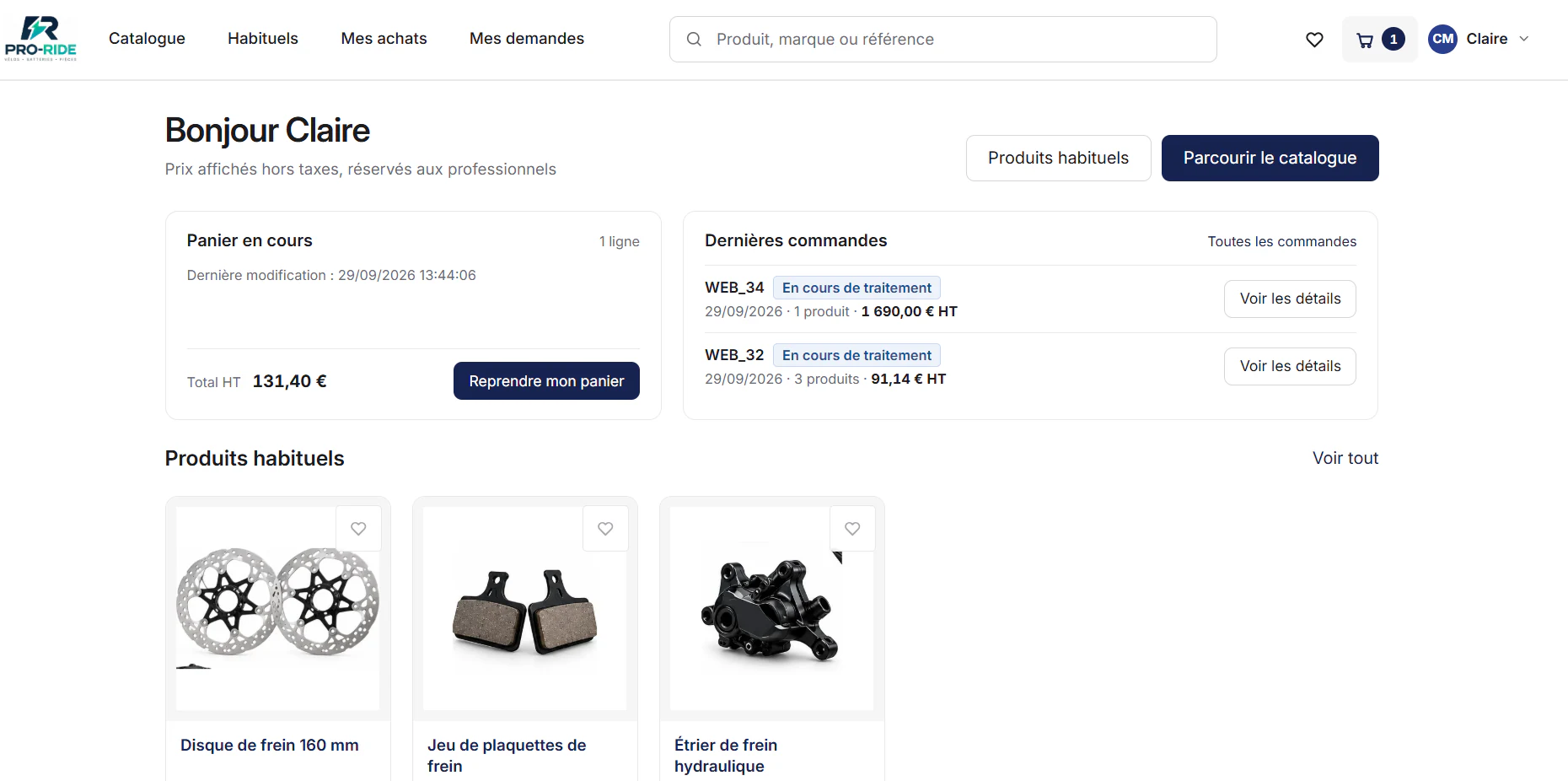
In our demonstration, the fictitious manufacturer Pro-Ride publishes from a single DRM a trade area with prices excluding VAT and several consumer sites with prices including VAT. Each site is linked to a customer network and a price display mode.
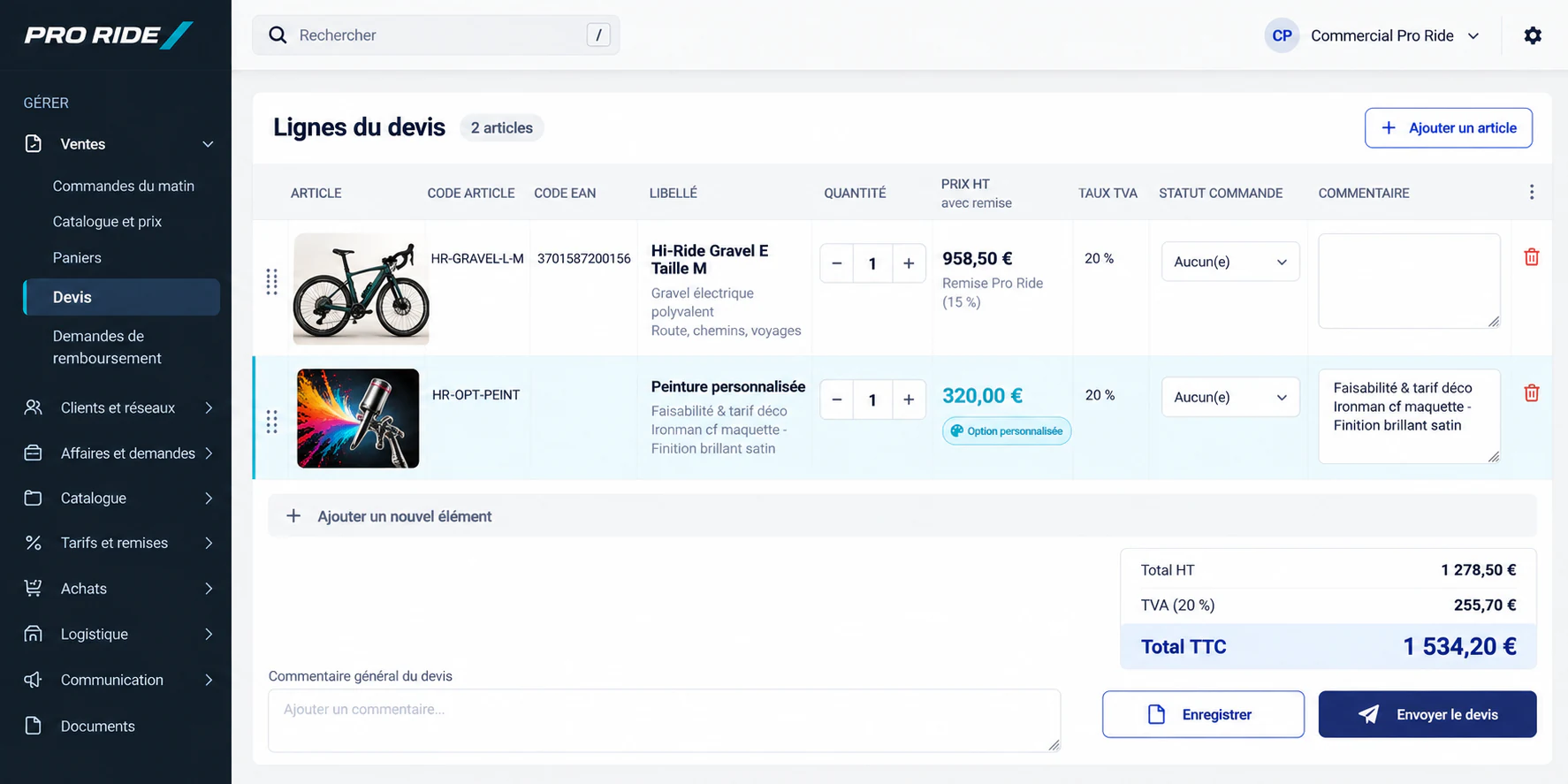
Claire, who runs a bike shop, logs in to the Pro area. She reads “Prices shown excluding VAT, reserved for trade customers”, and finds her usual products and her basket. When she requests a quote, the Pro-Ride sales rep sees the lines with her customer discount already applied.
Customer-specific prices, discounts and cataloguesWhat the DRM brings
- Customers organised into networksCatalogues and terms are attached to the network or the customer.
- Prices and discounts in the DRMApplied automatically to the logged-in customer.
- Display settings per siteExcl. VAT for the Pro area, incl. VAT for consumers.
- Quotes on the right termsThe customer’s discounts are carried over, without manual recalculation.
- Field sales reps on the same pageThey order for their customers with those customers’ own terms.
Every pricing policy is different. Rather than promising that a tool covers every conceivable rule, we study yours during scoping and decide together how the DRM will handle them. See all the DRM features.
B2B pricing and ERP: which source of truth?Integration and constraints
When pricing terms are already managed in the ERP, the key question is the source of truth: which rules stay in the ERP, which live in the DRM, and how they are synchronised. Hi-perf has in-depth expertise in ERPs, Sage X3 in particular, and in connectivity between systems (APIs, EDI): that is what makes it possible to answer this question without double entry.
B2B pricingFrequently asked questions
Can the same product have a different price depending on the site?
Yes. Each site published from the DRM has its own customer network and price display mode. The same item can therefore appear with VAT included on a consumer site and at a trade price excluding VAT in the Pro area.
Can certain products be hidden from certain customers?
The catalogue shown depends on the customer and their network. The exact visibility rules are defined during configuration, according to your sales policy.
What happens when a price can’t be calculated in advance?
The line becomes “price on request”: the customer adds it to their basket, details their request, and the sales rep prices it. See our page on technical or configurable products.
Does your pricing policy fill a spreadsheet with several tabs?
Show us your rules. We’ll tell you how the DRM can apply them, customer by customer.